




Our Story
Fueling financial empowerment since 1938.
Banking for a greater good starts with you.
When you join Great Lakes Credit Union, you join a not-for-profit, member-owned, local financial cooperative that believes in the power of banking for a greater good. We’re champions of business growth and initiatives that lift up the lives of members and strengthen the financial health of our community.
That’s why every penny we make goes back to you (not shareholders) in the form of well-designed products and services, better rates, lower fees, and community investment. Because the way we see it – whether you’re new to the financial world, a seasoned investor, or a savvy small business owner – when you succeed we succeed.
Fast Facts
Founded in 1938
Headquartered in Northern Illinois
Over 110,000 members in Chicagoland, Central Illinois, and Western Indiana
Over $1.4 billion in assets
Our Mission
Banking for a greater good. We are committed to empowering our members and investing in the communities we serve.
Our Values
To succeed in our mission, we focus on a set of values we call Standards of Greatness:
Cultural Transformation: Include and collaborate. Be dedicated to excellence. Teach and mentor others.
Exceptional Member Experience: Understand member needs. Find solutions. Build loyalty.
Financial Empowerment: Be devoted to financial well-being. Volunteer and advocate in the community. Act as a GLCU ambassador.
Smart Growth: Connect with members to deepen relationships. Make data-driven decisions. Innovate and compete for growth.
Efficiency and Sustainability: Allocate resources wisely. Balance risk and value. Promote financial success through accountability.
National Honors & Accolades
2025 Diamond Award for GLCU Week of Volunteering Event
2023 Top Workplaces Industry Award for Financial Services
2022 Community Involvement Gem Award
2021 CUES DEI: Catalyst for Change Award
2019 DesJardins Financial Education Awards for Youth Financial Literacy
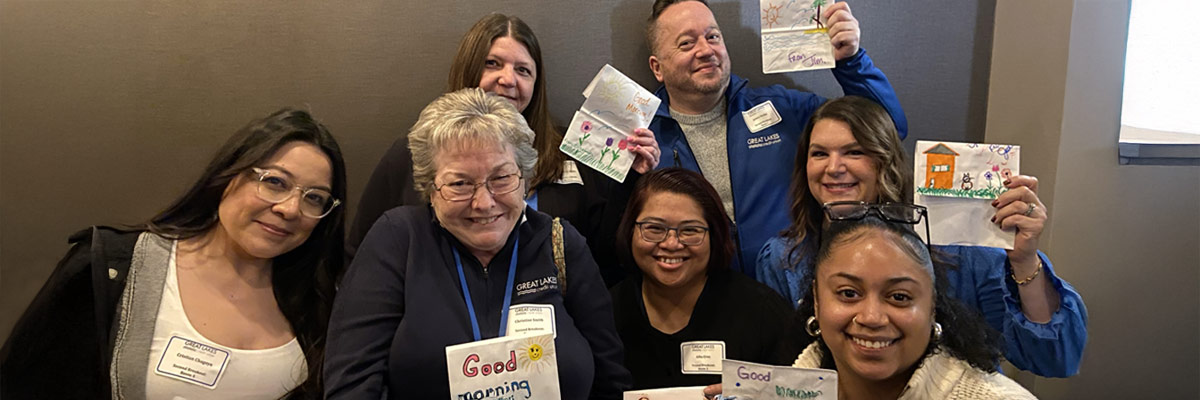
Great Wave Volunteer Program Highlights
- Financial education for members
- Robust community volunteerism
- Free HUD-approved housing and financial counseling
GLCU, in partnership with the GLCU Foundation for Financial Empowerment, is one of five credit unions in the entire country with a HUD-approved Housing and Financial Counseling program, available to both members and communities at large.
Do more than bank. Bank for a greater good. Join our membership and be part of the Great Lakes Credit Union story.

Invite a Friend
Know someone looking for a not-for-profit financial institution that lets them bank for a greater good? Send them our way!

 Testimonials
“I’ve gotten great customer service from Great Lakes Credit Union. When I go into the branch there is always someone there with a smile ready to help.”
 FAQs
FAQs
Got questions? We’ve got answers. Don’t see an answer to your question here? Contact us, and a team member will be happy to help.
Click here for specific branch hours and locations.
, click on the Services tab on the menu, and select Address Change.
Once you are enrolled in paperless eStatements, please and click on the Statement option in the menu. Then click Download located next to the desired date to save or print the statement.
eStatements are also available in our mobile banking app. Simply click on the View eDocument menu option to get started.
Most checks can be viewed by clicking on the actual check number in your list of transactions within Online Banking. They can also be found by selecting Transactions then Search in the menu after logging in.
with your current password and select Settings the menu. Under the Password Change option, enter the current password and then the new one. Click Submit.
and select Settings in the menu. Enter a question of your choosing in the Password Reset Question field. Enter the answer to the question in the Password Reset Answer field. Click Submit.
When the password is forgotten, select Forgot Password and the system will ask the reset question and provide a password if the correct answer is provided.
and click on Dashboard in the menu. Next to the account balance click on Holds to view pending card transactions and check holds.
, click on the Services tab in the menu, and select the Skip-A-Payment option. The system will provide the loans that are eligible for the service. The skip payment can be processed immediately under this option, as long as the funds for processing fees are available in your Savings or Checking account.*
*If the loan payment is set up with an automatic withdrawal from GLCU, please contact us at (800) 982-7850 option 4 after processing the skip payment to have the automatic withdrawal suspended.
Rates can be located by clicking on Rates & Fees located at the top of the Home Page of the website before logging into the account.
, click on the Services tab in the menu, and select the Loan Payoff option. After selecting the desired loan in the dropdown menu, enter the date that the loan is expected to be paid off.*
*This feature cannot be used to obtain payoffs on first or second mortgages and home equity accounts. Please call (800) 982-7850 to obtain payoff information for these loans.
Current members: and click on Apply for Loan in the menu. Select the desired loan to complete the application.
Non-members: Click on Apply for Loan located at the top of this website.
Members and non-members alike are also welcome to apply over the phone. To get started, please call (844) 235-LOAN | (844) 235-5626 to speak with a live Loan Specialist.
and click on Transfers in the menu. Select Check Withdrawal in the sub menu and enter the dollar amount to be withdrawn. A check will be issued the next business day and mailed to the address listed on the account.*
*Please allow 7-10 business days for the check to arrive, depending on the postal service.
If you have a GLCU checking account, transfers can be made to another financial institution by using the Transfer option in Bill Pay.
*Please note, daily limits apply. Contact us for more information.
, click on Transfers in the menu, and select Transfer to Any Account. Enter the 8-digit account number you are transferring to, the first 3 letters of the primary account holder’s last name on that account, and the ID number of 01 to transfer to Savings or 08 to transfer to Checking. After entering the amount and clicking Submit, the funds are transferred immediately.
Simply and click on Check Order in the menu bar. If you had a change of address since your previous check order, please contact us to update your address before proceeding.

Browse the latest headlines for news and advice.
Financially Empowering Communities Through Volunteerism, Giveback, and More: 2025 GLCU Foundation Impact
Read Article Financially Empowering Communities Through Volunteerism, Giveback, and More: 2025 GLCU Foundation Impact
Other Articles
- Helping Kids and Teens Build Smart Money Habits for Life
- GLCU Website Now Available in Spanish: Breaking Down Barriers to Financial Empowerment / El sitio web de GLCU ya está disponible en español: Eliminando barreras para el empoderamiento financiero
- How GLCU Financially Empowers Our Members and Communities